
Introducing the Template Marketplace
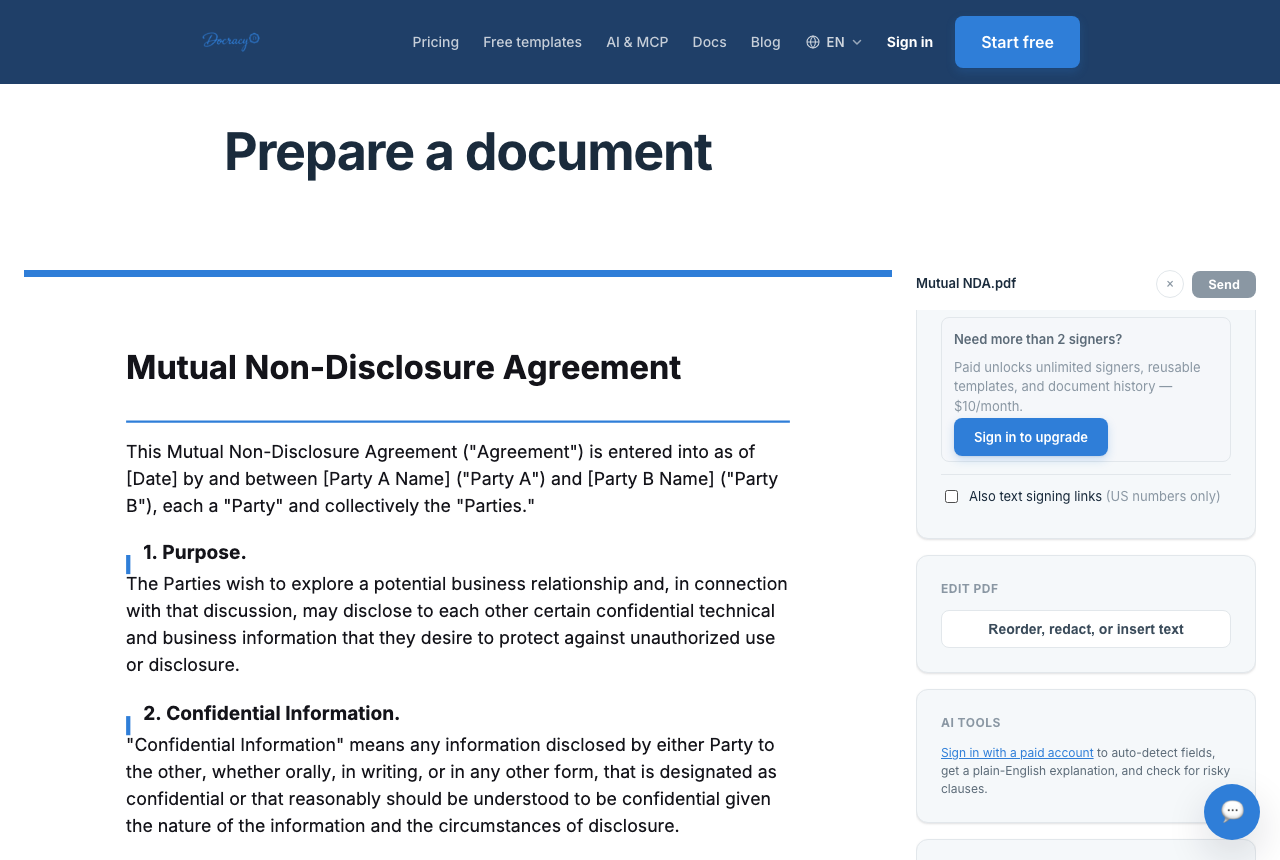

The Docracy Marketplace is a free library of document templates — NDAs, lease agreements, offer letters, wills, and dozens more — some written and reviewed by Docracy, others submitted by the community. Anyone can browse it, fill in a template, and send it for signature without creating an account. Here's a quick walkthrough of how it works, start to finish.
Why we built a marketplace
Most agreements aren't unique. An NDA between a founder and a contractor follows the same basic structure whether it's drafted in San Francisco or Singapore. A residential lease covers the same handful of terms regardless of which landlord is sending it. Rather than have everyone start from a blank page — or a blank Word doc copied from wherever they found it last — the Marketplace collects templates for the documents people need again and again, so the starting point is already a reasonably complete draft instead of an empty page.
Finding a template
Templates are organized by category — Business, Real Estate, Employment, Personal, and more — so you can browse instead of guessing what a document is called. Each template shows whether it's an official Docracy template or a community submission before you open it.
In practice that means Business covers things like vendor agreements and service contracts, Real Estate covers leases and related disclosures, Employment covers offer letters and onboarding paperwork, and Personal covers documents like wills and everyday agreements between individuals. If you're not sure what a document is called, browsing by category is usually faster than guessing at search terms.
Using a template end-to-end
Once you pick a template, the flow is the same as sending any Docracy document: fill in the specifics — names, dates, terms — add your signers, choose whether they sign in a set order or all at once, and send. Because it's a template, most of the structure is already there; you're filling in blanks rather than drafting from scratch. And as the intro above notes, none of this — browsing, filling in, or sending — requires either party to create an account.
Sharing your own
If you've already drafted something useful — a vendor agreement, a roommate contract, an onboarding checklist — you can submit the blank version to the Marketplace directly from the editor. Nothing publishes automatically: every submission is reviewed by a real person first, then goes live credited to the community.
Official vs. community templates
Official templates are the baseline Docracy has written and reviewed directly, covering the most commonly requested document types. Community templates come from people and businesses who hit the same paperwork problem, solved it, and decided to share the result rather than keep it to themselves. Both go through the same human review before publishing — the difference is authorship, not a difference in whether someone checked it.
What it costs
Nothing, in either direction. Using a template is free, and submitting one is free — no plan required for either.
A couple of things worth knowing
Is using a template different from uploading my own PDF?
No — once you've selected a template, it behaves like any other document on Docracy: the same field placement, the same choice between sequential or parallel signers, and the same audit trail and tamper-evident hash on the finished file. A template just saves you the step of starting from a blank page.
What happens after I submit a template?
It goes into a review queue rather than publishing right away. Once a member of the Docracy team checks it over, it goes live in the Marketplace, credited to whoever submitted it.
Why teams start with Docracy
“Docracy is a great product that I have tested and am using. It is easy to use, has good tools, is always up to date, and implements new features. Highly recommended.”— DACH Advisory


Also: Compare e-sign pricing · Free mutual NDA template
No account required for up to 2 signers.