
How to sign a W-9 form online
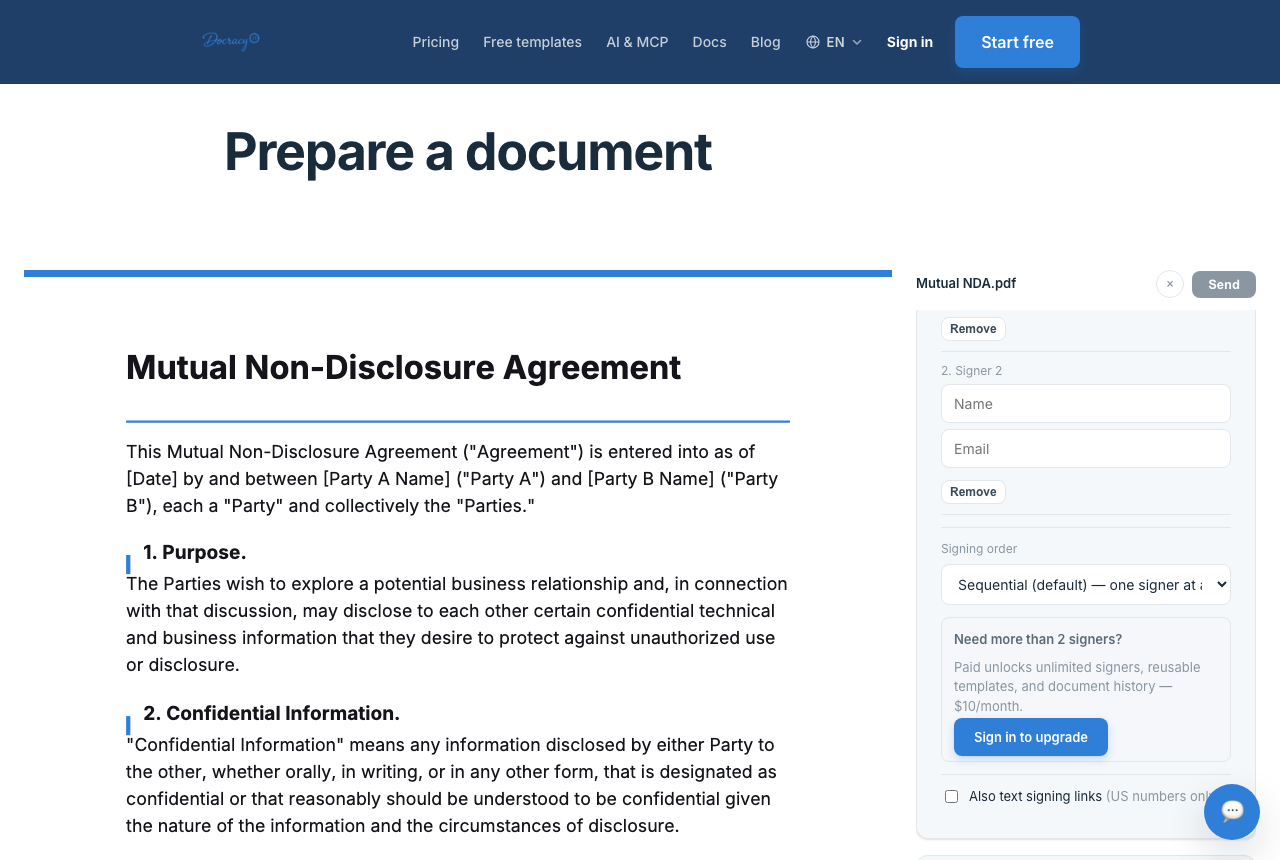

Yes — you can usually complete and sign a W-9 form online. The IRS does not host a client-onboarding portal for W-9s. The requester (your client, platform, or finance team) collects the form, and you return a completed, signed copy through their process.
This guide covers when electronic W-9 signing works, what the form asks for, how to sign a W-9 PDF with Docracy (no account required), and how businesses collect W-9s from freelancers and vendors. It is about the document workflow — not tax advice. If you are unsure which name, classification, or TIN to use, check the IRS Form W-9 instructions or ask a qualified tax professional.
Can you sign a W-9 form online?
Yes, when the electronic process meets IRS requirements for electronic Form W-9 submissions. In requester instructions, that typically means:
- Collecting the same information as the paper form
- Preserving access to a hard-copy (printable) version
- Documenting the user access that results in submission
- Capturing the payee’s electronic signature as the final submission step when a signature is required
In plain English: typing a name into a random file and emailing it is not the same as a controlled e-sign workflow. A solid process confirms the right person completed the form, preserves the contents, captures the signature step, and keeps a reliable record.
A completed W-9 includes a taxpayer identification number (SSN or EIN). Many businesses prefer an e-signature link or secure upload over ordinary email for that reason.
What is a W-9 and who completes it?
Form W-9 (Request for Taxpayer Identification Number and Certification) lets a payee give the correct TIN to a requester who needs it for tax reporting — for example payments to independent contractors, certain real estate or debt transactions, and other reportable payments.
- Requester: the business, client, platform, or institution that needs the information
- Payee: the person or entity that completes and (when required) signs the form
In common contractor onboarding, the business asks for a W-9, the freelancer or vendor completes it, returns it to the business, and the business stores it for reporting. The contractor does not send that W-9 to the IRS in this workflow — the requester keeps it.
What information goes on a W-9
Most contractor W-9s include:
- Name as shown on the income tax return
- Business name or disregarded entity name, if different
- Federal tax classification
- Address
- Taxpayer identification number (often an SSN for individuals, an EIN for many businesses)
- Signature and date when certification is required
Which TIN and classification to use depends on how you file. When in doubt, use the current IRS form and instructions — not an outdated PDF from an old email thread.
When does a W-9 need a signature?
The Certification section commonly requires a signature because you are certifying that the TIN is correct and that certain backup-withholding statements apply — under penalties of perjury. Some edge cases may not require a signature, but most contractor and vendor collection workflows ask for a signed W-9.
If your client requires a signed W-9, complete the form carefully, sign it, and return it through the channel they specify.
How to sign a W-9 form online with Docracy
If you have a blank W-9 PDF (from irs.gov or your requester) and need to fill, sign, and return it, Docracy handles the upload → fields → sign → download flow without creating an account.
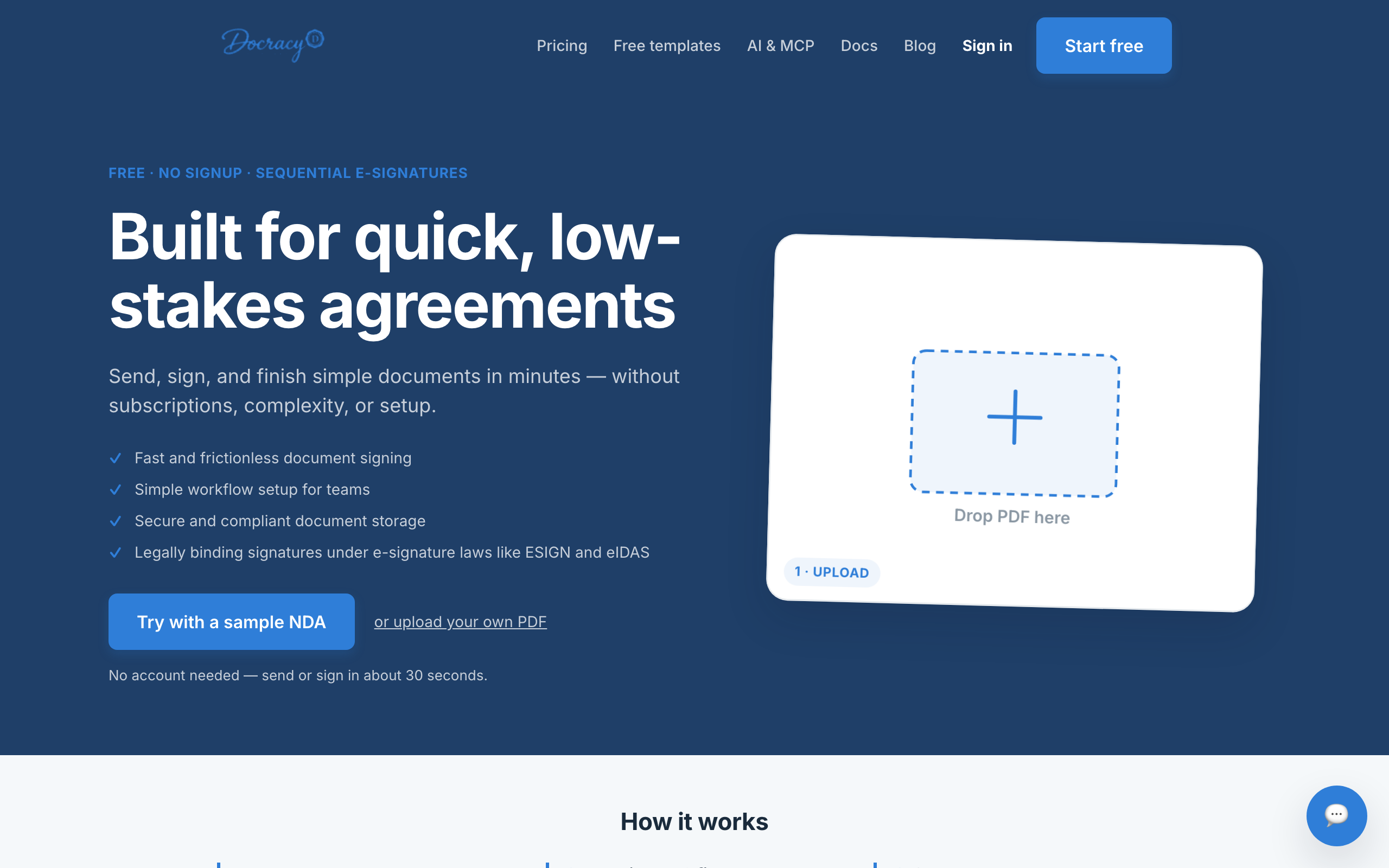
1. Upload your W-9 PDF
- Open docracy.io (or go straight to Prepare)
- Drop the W-9 PDF onto the upload area, or choose the file from your computer
- Use the current IRS Form W-9 when possible — confirm the revision date matches what the requester expects
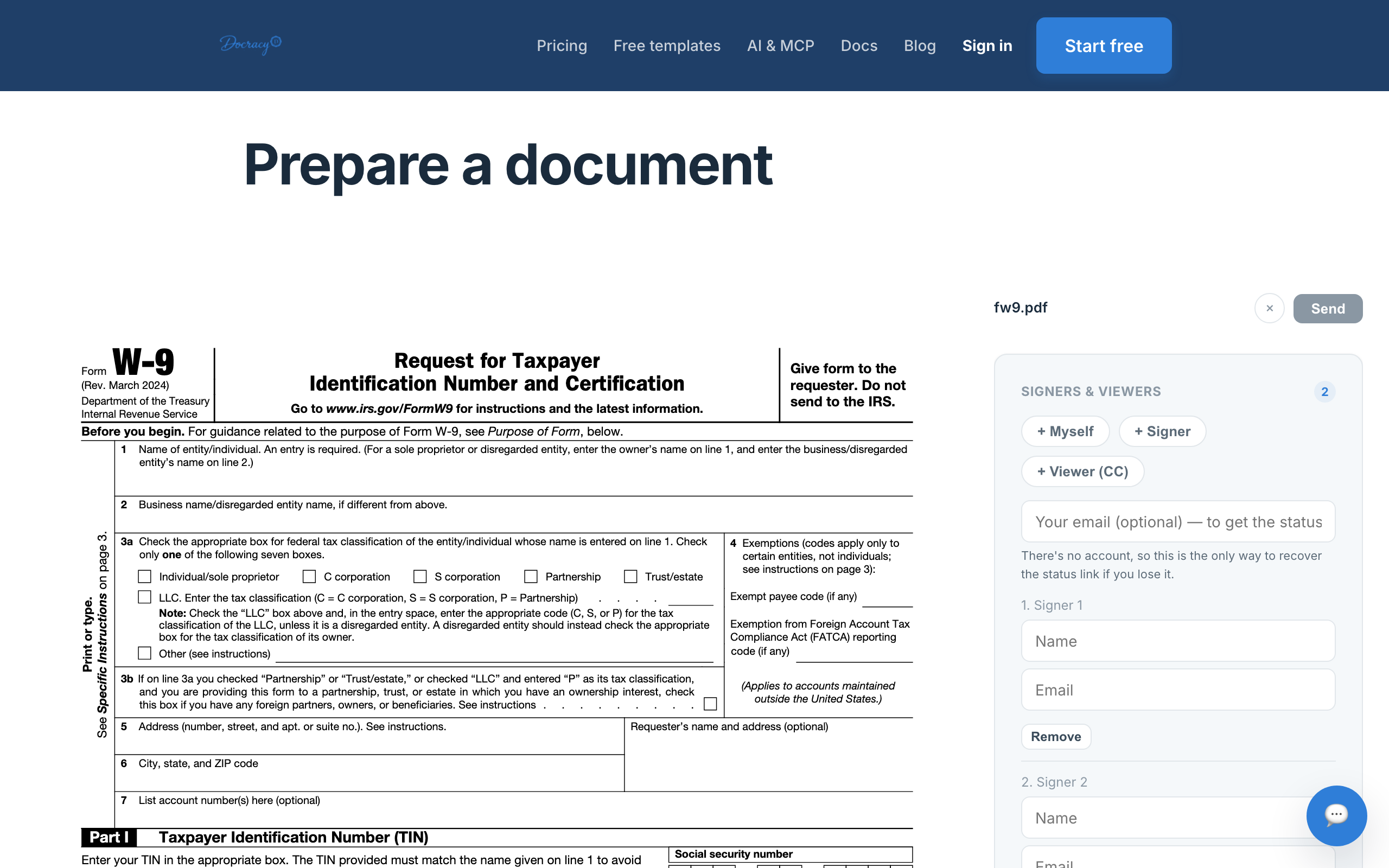
2. Add yourself as the signer
- In Signers & Viewers, add yourself (+ Myself) or fill Signer 1 with your legal name and email
- Optionally add the requester as a Viewer (CC) so they get a copy when it’s done — or plan to download and send the signed PDF through their portal
- Add your own email in the optional status field so you can recover the status link if you leave the tab
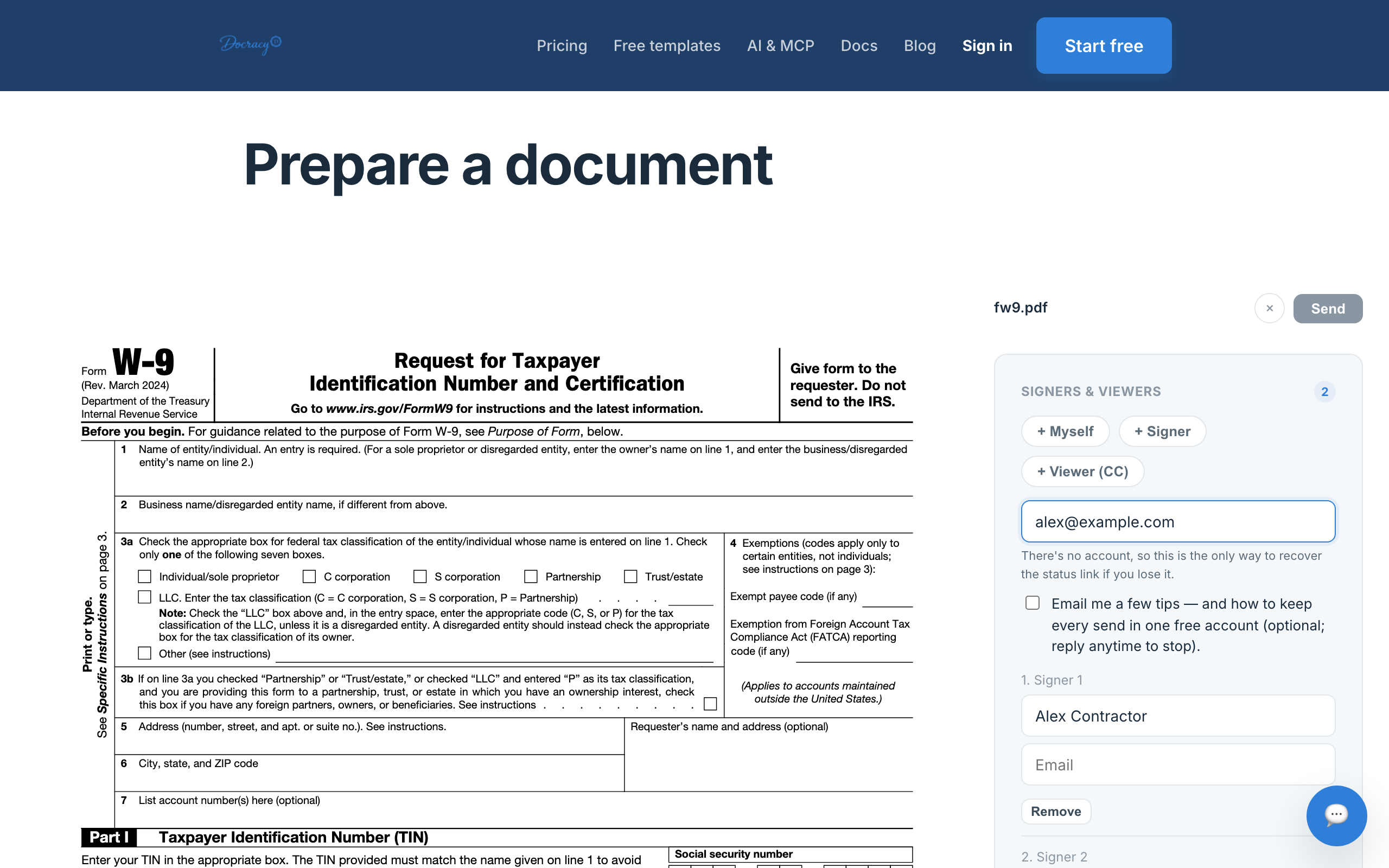
3. Place fields and fill the form
- Add text fields for name, business name (if any), address, and TIN where the PDF expects them
- Use checkbox fields for federal tax classification
- Place a signature field on the Certification line, and a date field if needed
- Read the Certification language before you sign — do not skip it
Paid workspaces can also use auto-detect to place signature and date fields faster; the free flow still lets you place fields manually in seconds.
4. Sign electronically and download
- Send the document (or complete the self-sign flow if you are the only signer)
- Open the signing link, review the filled W-9, draw or type your signature, and confirm consent
- Download the signed PDF (and certificate of completion when available)
- Return the file through the requester’s preferred channel — secure portal or e-sign CC when possible
Avoid sending an unprotected W-9 over ordinary email when a safer option exists. The form often includes an SSN or EIN plus address and tax classification.
How businesses collect W-9s from contractors
On the requester side, a W-9 usually sits next to an independent contractor agreement, SOW, direct-deposit form, or NDA. A clean digital process looks like:
- Send the blank (or pre-filled) W-9 for signature
- Contractor completes and signs
- You track status until it is returned
- Store the signed PDF with the vendor or contractor file
With Docracy, you can upload the IRS PDF, add the contractor as signer, CC finance if needed, and keep the same short flow for each new vendor. One missing W-9 is annoying; ten missing W-9s during busy onboarding weeks slow finance and ops. For recurring contractor packets, a paid workspace can save the field layout as a template.
Common W-9 mistakes to avoid
- Treating the IRS as the signing platform — the IRS publishes the form; your requester runs the collection workflow
- Sending TINs casually over email when a secure link or portal is available
- Assuming every business accepts the same return method — ask how they want the completed form back
- Skipping the Certification language before signing
- Confusing W-9 (collected from the payee) with Form 1099 (used later to report payments)
- Using stale or unofficial forms — verify against the current IRS Form W-9
Frequently asked questions
Can I sign a W-9 electronically?
Yes, when the electronic submission process meets IRS requirements for electronic Form W-9 — same information as paper, preservable record, documented access, and an electronic signature step when required.
Who signs a W-9 form?
Usually the payee — the freelancer, independent contractor, vendor, or entity providing the TIN to the requester.
Do I send my W-9 to the IRS?
Not in the common requester workflow. You give the completed W-9 to the requester. They use it for their tax reporting needs.
Is a typed signature enough?
A typed name alone is not the whole question. What matters is whether the overall electronic process meets IRS electronic W-9 rules when those rules apply. A proper e-signature workflow is safer than treating any typed name in any file as automatically valid.
Can a business collect W-9s with an e-signature tool?
Yes, if the workflow is set up properly and the business accepts that process. Docracy can send the PDF, collect the signature, and let both sides download the completed form — free for short signing chains, with templates and history on a paid plan.
What is the safest way to return a signed W-9?
Use the method the business requests: e-signature link, secure portal, or protected upload. Prefer those over standard email when available.
What if I made a mistake on my W-9?
Ask the requester how they want corrections handled. Often they will ask you to complete and sign a new W-9. Do not guess on classification, legal name, or TIN fields.
A simpler way to sign and return W-9 forms
A better W-9 process is about control: the contractor knows what to complete, the business knows what has been returned, and sensitive TINs are not scattered across inbox threads. Upload the PDF on Docracy, place fields, sign, and download — usually in a few minutes, with no signup required to send or sign.
Why teams start with Docracy
“Docracy is a great product that I have tested and am using. It is easy to use, has good tools, is always up to date, and implements new features. Highly recommended.”— DACH Advisory


Also: Compare e-sign pricing · Free mutual NDA template
No account required for up to 2 signers.